Course Project · Database Systems
Library Database Management System
A full-stack database application designed to organize common library operations through separate patron and staff experiences. The system connects a Flask web interface to a relational MySQL database containing library materials, checkouts, reservations, fees, events, staff records, and café operations.
Project overview
Managing Library Operations Through One Connected System
The Library Database Management System was developed as a Database Systems course project. Its purpose was to model the information a library needs to manage and make that data accessible through a working web application.
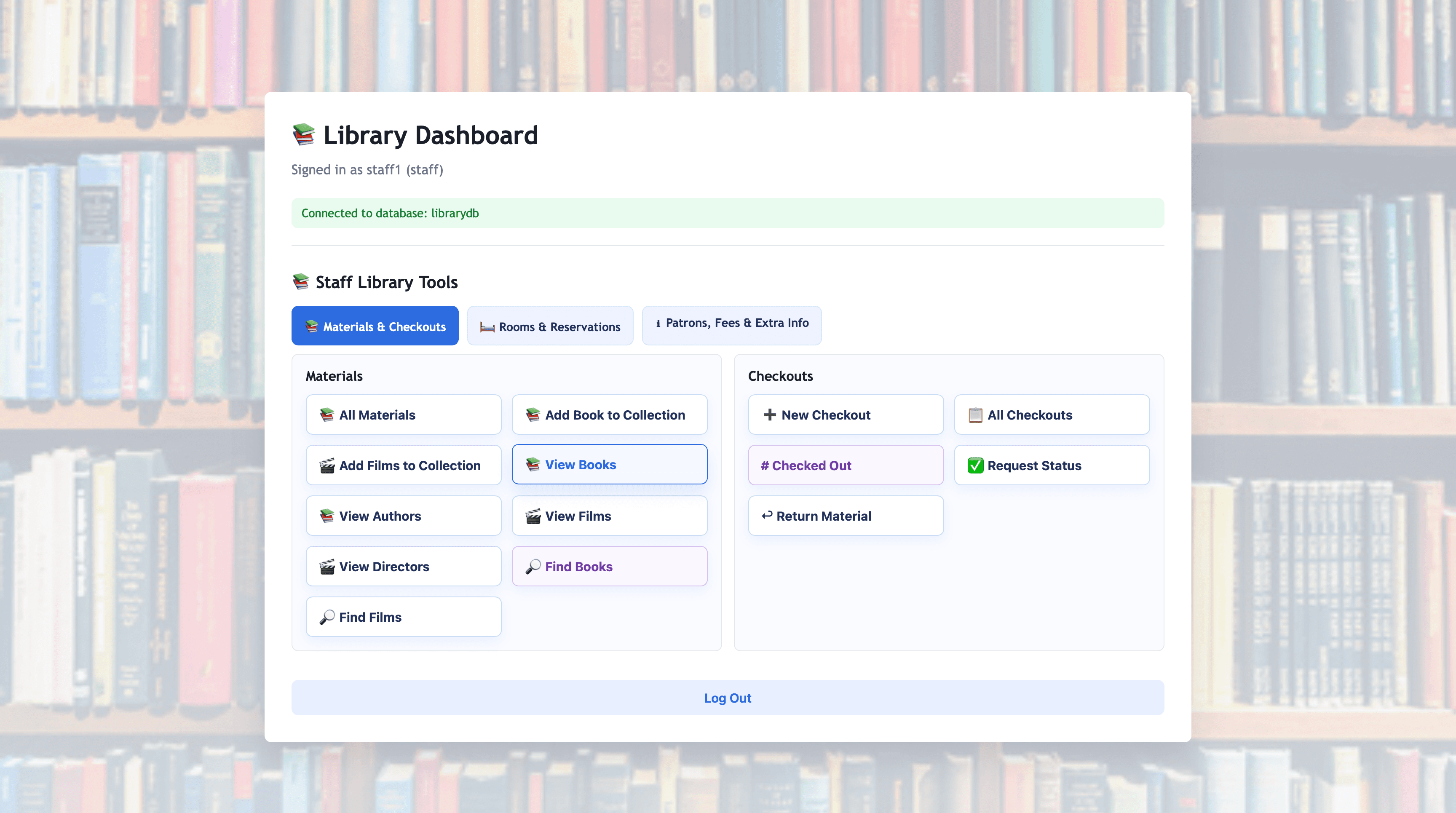
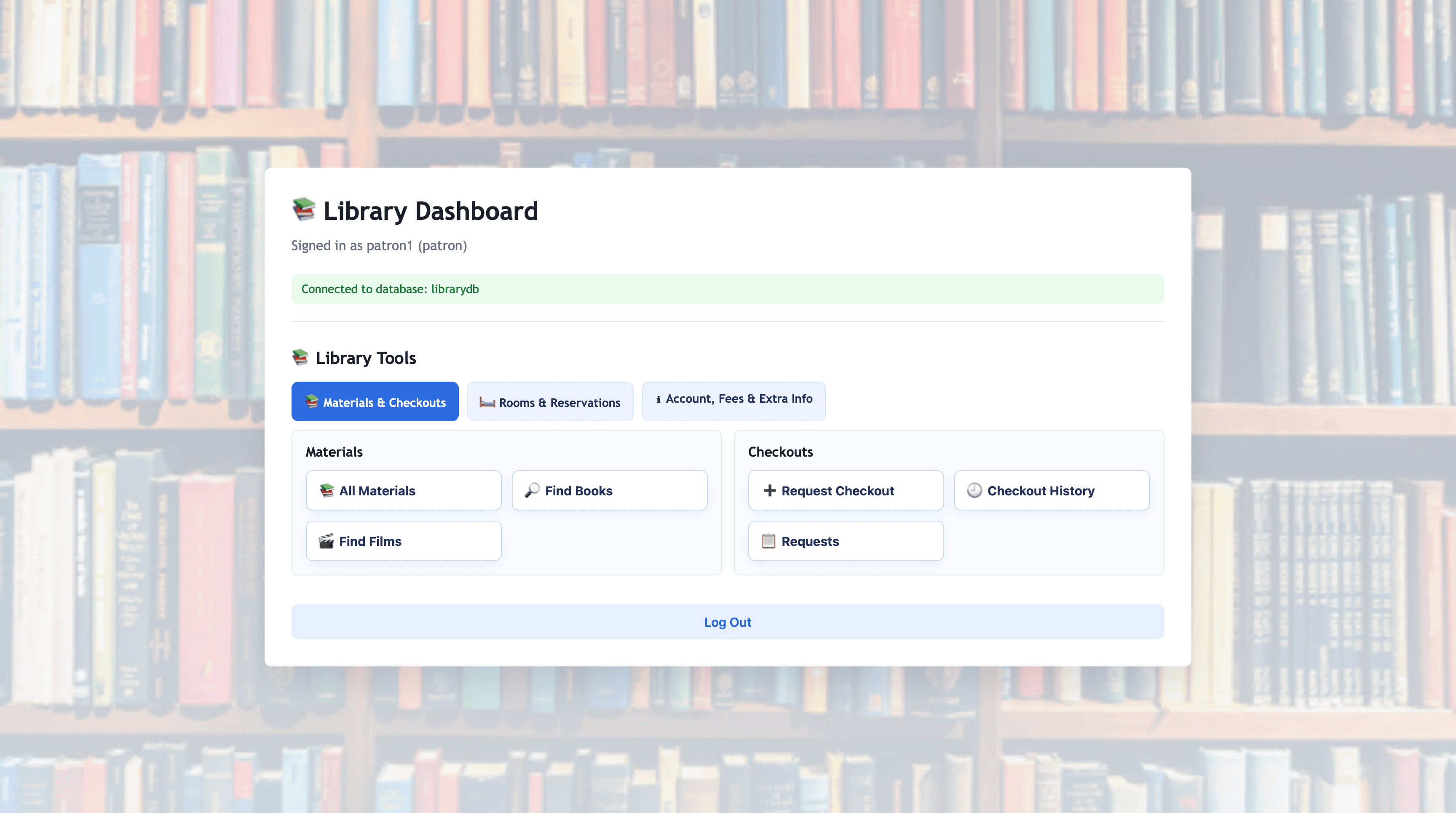
The project includes separate patron and staff dashboards. Patrons can browse materials, request checkouts, review checkout history, manage room reservations, inspect account information, and view fees. Staff members receive additional tools for managing materials, patrons, checkout requests, returns, reservations, and late fees.
The application demonstrates both database design and full-stack integration. The Flask backend executes parameterized MySQL queries and passes results to Jinja templates, while the database enforces relationships and business rules through keys, constraints, views, triggers, a stored function, and a stored procedure.
Collaboration
Developed as a Team Database Project
This project was completed collaboratively as part of a three-person Database Systems team. The work required coordinating the relational schema, SQL scripts, sample data, application logic, user interface, testing, and written documentation.
We successfully moved from an entity-relationship model and data dictionary to a working schema, implemented query logic for real user workflows, and connected the Python web application to persistent MySQL data across shared development and testing phases.
- Relational database design
- SQL schema and sample-data development
- Flask and MySQL integration
- Patron and staff workflow implementation
- Query development and testing
- Interface development
- Technical documentation
- Collaborative debugging
Tools
Technology Stack
Python and Flask
Provide routing, session handling, form processing, validation, database operations, and server-rendered application logic.
MySQL and SQL
Store the relational data and implement tables, constraints, joins, subqueries, views, triggers, a function, and a stored procedure.
Jinja
Renders role-specific dashboard content and database results in reusable HTML templates.
HTML, CSS, and JavaScript
Create the responsive interface, dashboard tabs, forms, tables, expandable tools, and interactive content.
mysql-connector-python
Connects the Flask application to MySQL and executes parameterized queries.
Architecture
From Web Interface to Relational Data
Users interact with server-rendered Flask and Jinja pages. Flask routes validate requests, execute parameterized SQL statements through mysql-connector-python, commit data changes, and return updated dashboard information. MySQL stores the relational data and enforces several business rules at the database level.
Database design
A Schema Covering the Full Library Environment
The relational schema includes 23 tables organized into key domains:
Patrons and accounts
- •Patron
- •Fee
- •Registration
- •Reservation
Library collection
- •Material
- •Book
- •Film
- •Author
- •Director
- •Book and Film Connector Tables
Circulation
- •Checkouts
- •CheckoutRequest
Rooms and events
- •Room
- •Reservation
- •SchoolEvent
- •Registration
Staff and scheduling
- •Staff
- •Role
- •Availability
- •Shift
Library café
- •CafeItem
- •Category
- •CafeOrder
- •OrderItem
Primary keys identify records, foreign keys connect related entities, unique constraints prevent duplicate data where appropriate, and check constraints validate statuses, dates, quantities, prices, and availability values.
User experience
Role-Specific Library Workflows
Patron Dashboard
- Browse all library materials
- Search for books by title
- Search for films by title
- Request an available material for checkout
- Review request status
- View checkout history
- View account and fee information
- Update an email address
- Review room reservations
- Create and cancel room reservations
- Review event registrations and account information
Staff Dashboard
- Browse books, films, authors, and directors
- Add books and films to the collection
- Create patron accounts
- Update patron information
- Delete patron accounts
- Create and complete checkouts
- Review active and historical checkouts
- Process patron checkout requests
- Return materials
- Review and update room-reservation status
- View the total number of checked-out materials
- Apply late fees
Core workflow
Keeping Requests, Checkouts, and Availability Synchronized
The application validates material availability, detects duplicate pending requests, checks for active checkouts, and displays success or error messages to the user. The database includes triggers that help synchronize material availability with checkout and return records.
- 1A patron selects an available material.
- 2The patron submits a checkout request.
- 3Staff review the pending request.
- 4An accepted request creates a checkout.
- 5The material becomes unavailable.
- 6Returning the material records the return and makes it available again.
SQL implementation
Logic at the Database Layer
Views
The database defines reusable representations of material and reservation information:
- •
Patron_Material_View - •
Patron_Reservation_View
Triggers
Five triggers enforce business rules:
- •Prevent checking out unavailable materials
- •Mark materials as checked out after checkout creation
- •Restore availability after a return
- •Reduce café inventory when order items are created
- •Prevent overlapping room reservations
Stored Function
get_unpaid_fee_total: Calculates a patron's total unpaid fees.
Stored Procedure
apply_late_fees: Creates fees for overdue, unreturned materials.
Queries and Aggregation
- •Multi-table joins
- •Subqueries
- •Aggregate functions
- •Parameterized search
- •Counts and totals
- •CRUD operations
Visuals
Project Gallery
Reflection
Challenges and What I Learned
Modeling a Broad Organization
The schema needed to represent more than books and checkouts. It also connected patrons, rooms, events, fees, staff scheduling, and café operations while preserving meaningful relationships.
Coordinating Application and Database State
Checkout requests, active checkouts, returns, and material availability had to remain consistent across the Flask application and MySQL database.
Supporting Different User Roles
Patrons and staff needed different views of the same data, requiring role-specific dashboards, routes, forms, queries, and permissions.
Experience
Skills Demonstrated
- Relational database design
- MySQL
- SQL
- Python
- Flask
- Jinja
- HTML/CSS
- JavaScript
- CRUD operations
- Primary and foreign keys
- Joins and subqueries
- Aggregate queries
- Views
- Triggers
- Stored functions
- Stored procedures
- Parameterized queries
- Role-based interfaces
- Form handling
- Data validation
- Full-stack integration
- Git and GitHub
- Technical documentation
- Team collaboration
Project status
Completed
This project strengthened my understanding of how relational database design affects an entire application. I gained experience moving from an ER model and data dictionary to a working schema, writing queries for real user workflows, and connecting a Python web application to persistent MySQL data.